
One feature in TFVC that are often un-utilized is the Gated check-in.
Gated check-in is a feature of most source control system which validates’ the code being check-in if it will successfully build to the existing code in the source control.
This only means that your team/organization can avoid checking-in a code, that does not build.
Gated check-in is one of the available trigger in Azure Pipeline.
How to enable Gated check-in
First, you must define a pipeline.
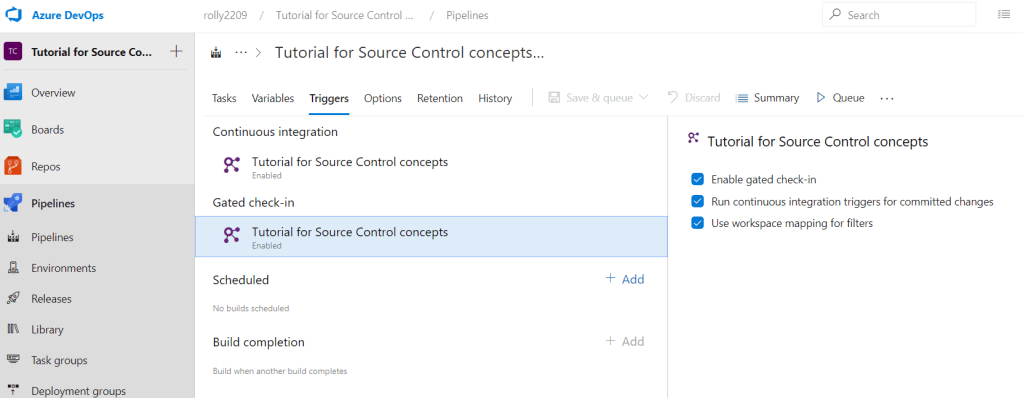
From the pipeline, initiate edit, and navigate to the Triggers.
Enable 1st the Continuous integration, then enabled the Gated check-in. Refer to the below.
Testing with an ERROR
Now, make any changes in your current repository that will cause an error; e.g. synthax error, missing semi-colon, etc… Then check-in this changes. This should trigger the build with you changes with the current repository.
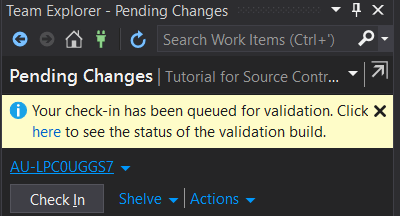
Remember that in this point, you changes is not yet committed in the source control.
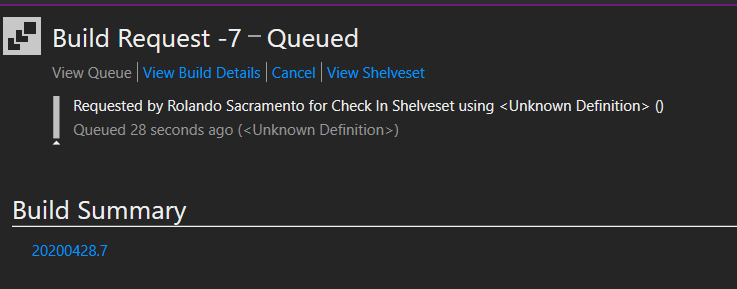
Click the “here” hyperlink.

 Power Platform Iter
Leave a comment