
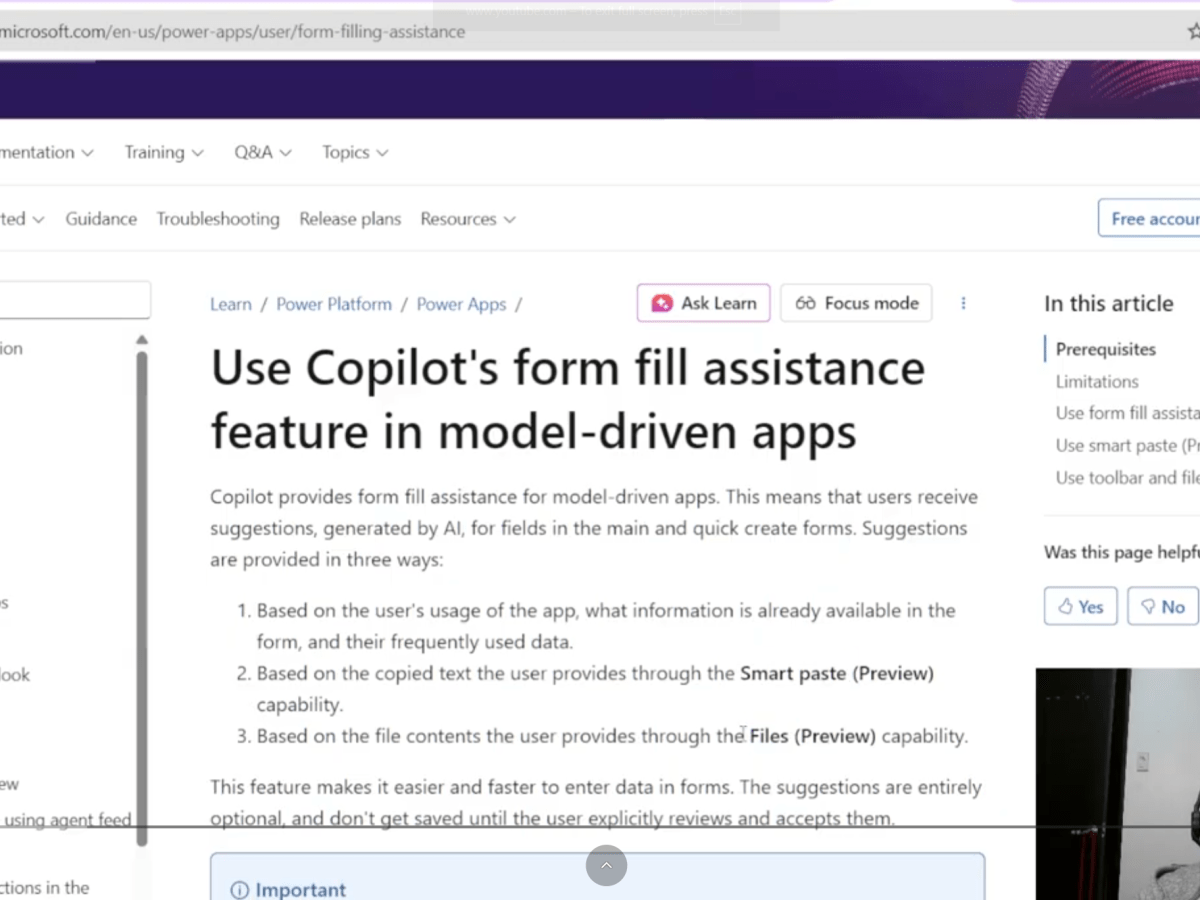
Accelerating Data Entry with Copilot Form-Fill Assistance in Model-Driven Apps
Unlock faster, smarter form filling in Power Apps. In today’s fast-moving digital workplace, speed, accuracy, and usability are crucial.Data entry remains one of the most time-consuming tasks across enterprise systems — especially within Microsoft Dynamics 365 and model-driven Power Apps. Microsoft’s new Copilot Form-Filling Assistance aims to change that by leveraging AI to suggest form…
Keep readingVLOG: Microsoft Digital Contact Center – Agent Experience Demo
In this video, we will demonstrate the agent experience in using the Microsoft Digital Contact Center Platform from Dynamics 365 Customer Service.
Using the WhatsApp channel, we also demonstrated some of the agent features available in the platform
Keep reading
Microsoft Digital Contact Center – WhatsApp channel setup
When I was setting up WhatsApp channel for Microsoft Digital Contact Center Platform (DCCP), it took me a while to figure things out. So I wrote this blog to contribute Microsoft Digital Contact Center Platform (DCCP) community in setting up WhatsApp channel as a communication stream to Dynamics 365 Customer Service Enterprise. In this blog…
Keep reading
Microsoft Digital Contact Center Platform – Voice channel Start-up Guide (setup and testing)
In this blog, we will walk you through setting up and testing an Omnichannel voice using Dynamics 365 Customer Service. This will enable you to see how easy it is to enable the Microsoft Digital Contact Center Platform solution into your existing Dynamics 365 Customer Service Enterprise product. This is just an initial setup. This…
Keep readingFluent UI Layout System in React
There seems to be very little of no documentation on how to implement Fluent-UI’s Layout system in React application – which the official documentation seems to be lacking in here. And it took me a while to figure this out. Below is a code that I have tried. Ensure that you import the CSS and…
Keep readingTFVC Gated check-in
One feature in TFVC that are often un-utilized is the Gated check-in. Gated check-in is a feature of most source control system which validates’ the code being check-in if it will successfully build to the existing code in the source control. This only means that your team/organization can avoid checking-in a code, that does not…
Keep readingGit Flow for VS
I’ve always struggle to standardize a source control process in a project. Thus, I took the PluralSight course Continuous Delivery and DevOps with Azure DevOps: Source Control with Git. Apart from learning a standard base process – I came across GitFlow for Visual Studio 2019. This plugin will help you implement a standard branching and…
Keep reading
Azure Queue storage – how to code?
Azure Queue storage is a cloud-based queues. It temporarily store a list of messages. Each queue can store up to 500TB of data and can process 2,000 messages per second. The pricing is based on size of the queue and number of operation against the queue (e.g. add, delete). However, Azure Queue is only available…
Keep reading
Azure Service Bus – how to code?
This blog with provide information on the library and how to code a listener and sender of an Azure Service Bus. Azure Service Bus Queue client In the below, we will high-light the most important details in using Azure Service Bus Queue client from a .NET perspective. Microsoft.Azure.ServiceBus – NuGet package – is a .NET…
Keep reading Power Platform Iter